
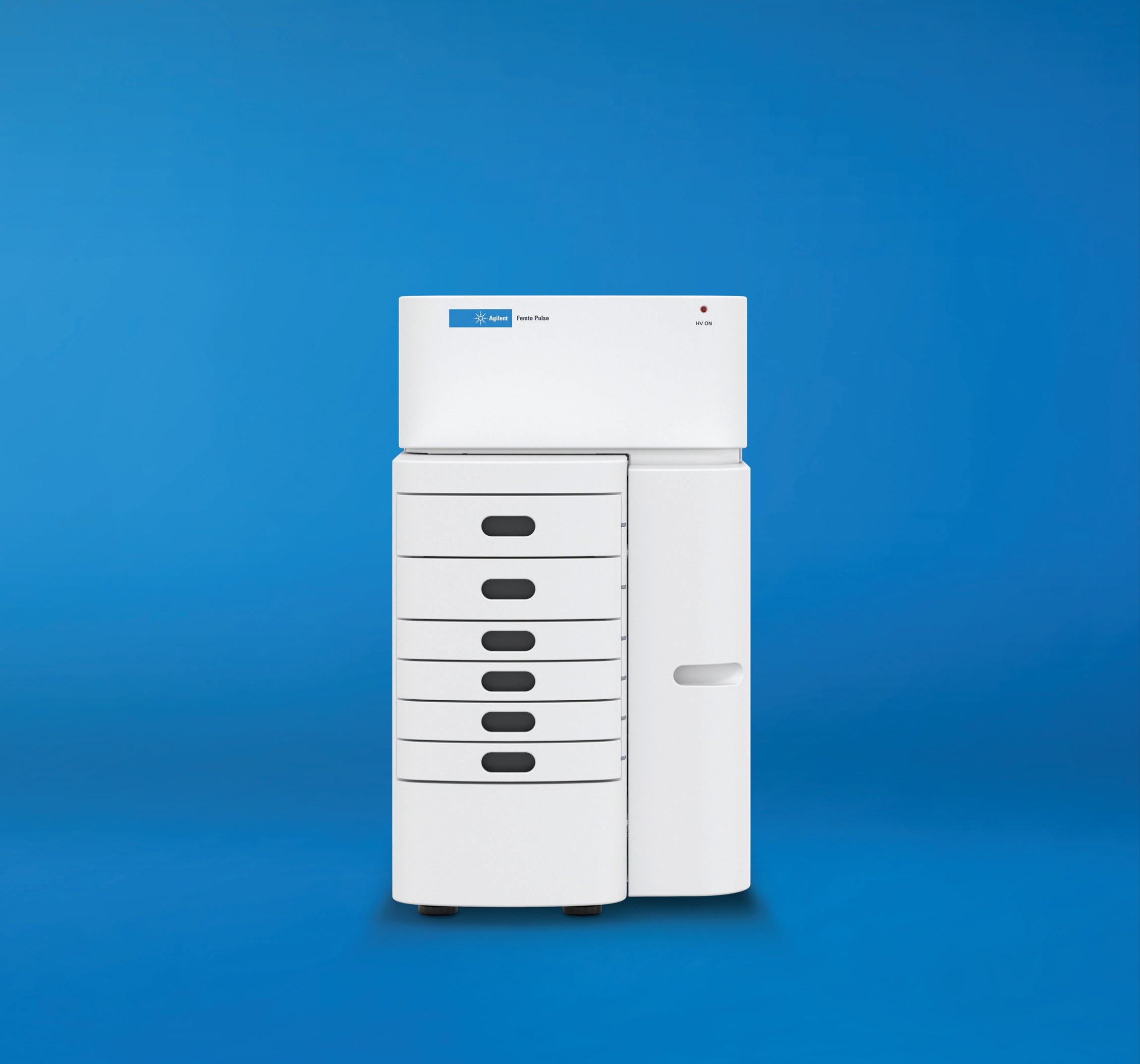
Agilent Technologies Femto Pulse 12-Capillary Array
Agilent Technologies Femto Pulse 12-Capillary Array — Automated electrophoresis.
The Femto Pulse 12-Capillary Array is a 12-capillary automated electrophoresis array for the Femto Pulse System, built on the Fragment Analyzer platform with a pulsed-field power supply. It separates DNA fragments up to 165,000 bp in about 1.5 hours, roughly 10× faster than PFGE, and detects inputs down to 50 fg/µL with ultra-sensitivity kits at 2 µL per well.
Full specifications
| Maximum Separable Dna Fragment Size | 165000 bp |
| Minimum Dna Fragment Input Concentration (ultra Sensitivity Kits) | 50 fg/µL |
| Operating system | 10 later |
| RAM | 4 GB |
| Sample Volume Per Well | 2 µL |
| Separation Time For 165,000 Bp Fragments | 1.5 hours |
| Speed advantage vs pulsed-field gel electrophoresis (PFGE) mfr | 10 faster |
| Processor mfr | 5 higher |
| Storage space mfr | 500 GB |
| Operating system language mfr | English English |
| Operating system region settings mfr | English in default configuration configuration |
| Microsoft .NET mfr | 4.6.2 higher |
| Adobe Acrobat DC mfr | 19.012.0034 higher |
| Download size mfr | 35 MB |
| RAM (Windows 11) mfr | 8 GB |
| Adobe Acrobat DC Reader mfr | 19.012.0034 |
| Windows 10 minimum build mfr | 1803 later |
| Windows 11 build mfr | 24 |
| Display resolution mfr | 1280 pixels |
| Display resolution (alternative) mfr | 1280 pixels |
| Standard warranty mfr | one-year year |
| Maximum extended warranty time mfr | five years total total |
Description
Construction and series positioning
- This is the 12-capillary array modification of the Femto Pulse System; no sibling arrays are listed in the verified facts, so selection is against the system's kit and software configurations rather than other array formats.
- The array operates within the Femto Pulse System, which combines the Fragment Analyzer platform with a pulsed-field power supply to extend separations into the high-molecular-weight range.
- The controller software (revision 2.1.0) is a separate PC-side component; the array itself carries no embedded controller requirements in the verified data.
Separation behavior
- Maximum separable DNA fragment size is 165,000 bp, reached in a 1.5-hour separation run.
- With ultra-sensitivity kits, minimum DNA fragment input concentration is 50 fg/µL.
- Sample volume per well is 2 µL.
- The system is stated as 10× faster than pulsed-field gel electrophoresis (PFGE) for comparable high-molecular-weight separations.
- No digitized curve points were supplied, so no migration-time or signal-response curves are characterized here.
Control, installation and operation
- The Femto Pulse controller software 2.1.0 runs on Windows 10 64-bit 1803+ or Windows 11 64-bit 24H2, English (US) language and region settings only.
- Installation requires administrative rights, closing all running programs, and installing the bundled FTDI and Starlight Xpress CCD drivers before the controller software; a PC restart completes the process.
- Revision 2.1.0 improves instrument–PC communication and applies timeshift correction at the end of the separation rather than to the real-time electropherogram.
- Automatic reporting requires Adobe Acrobat DC Reader 19.012.0034 (English US) or later; PDF is the default report format.
Integration & Operating Notes
The Femto Pulse controller software 2.1.0 will not run on ARM-based Windows machines. Specify an Intel i5 or higher processor, at least 4 GB RAM on Windows 10 (8 GB on Windows 11), 500 GB storage and a display of at least 1280×1024 or 1280×800 pixels to stay inside the tested configuration.
Only Windows 10 64-bit 1803+ and Windows 11 64-bit 24H2 with English (US) language and region settings are in the tested support matrix. A non-English (US) OS configuration places the installation outside tested support, so the controlling PC's regional settings must be set accordingly before deployment.
Instrument–PC communication depends on the FTDI driver, and detector operation depends on the Starlight Xpress CCD device driver; both must be installed from the bundled installer before the controller software. Installation needs administrative rights, all running programs closed, and a PC restart afterward before the installation is considered complete.
Microsoft .NET 4.6.2 or higher is required, and automatic PDF reporting requires Adobe Acrobat DC Reader version 19.012.0034 (English US) or later. Without the required Acrobat DC Reader, reports cannot be viewed or generated, so include it in the PC build rather than relying on a default reader.
If upgrade problems occur, existing controller software installations should be removed first via Windows app settings; if unresolved, a Microsoft program install/uninstall troubleshooter or recovery media is recommended. Revision 2.1.0 also changes data handling: timeshift correction is applied at separation end, not to the real-time electropherogram.
Selection & Integration Q&A
Choose this array when high-molecular-weight DNA up to 165,000 bp must be separated in about 1.5 hours, roughly 10× faster than PFGE, with 2 µL per well and detection down to 50 fg/µL using ultra-sensitivity kits. No sibling arrays are listed in the verified data, so compare against the system's kit and software configurations.
An Intel i5 or higher PC (no ARM), 4 GB RAM on Windows 10 or 8 GB on Windows 11, 500 GB storage, 1280×1024 or 1280×800 display, Windows 10 64-bit 1803+ or Windows 11 64-bit 24H2 in English (US), .NET 4.6.2+, and Acrobat DC Reader 19.012.0034+ for reporting. Install the bundled FTDI and Starlight Xpress CCD drivers before controller software 2.1.0, then restart.
The controller software is tested only on English (US) language and region settings; other regional configurations are outside the support matrix. Installation requires administrative rights and all running programs closed to avoid file-lock conflicts, and a restart is mandatory before the installation is complete.
The base delivery does not include the controlling PC, the FTDI and Starlight Xpress CCD drivers (bundled in the 35 MB installer), Microsoft .NET 4.6.2+, or Adobe Acrobat DC Reader 19.012.0034+, which must be provisioned separately for reporting. Standard warranty is one year, extendable to five years total via CrossLab Silver.