
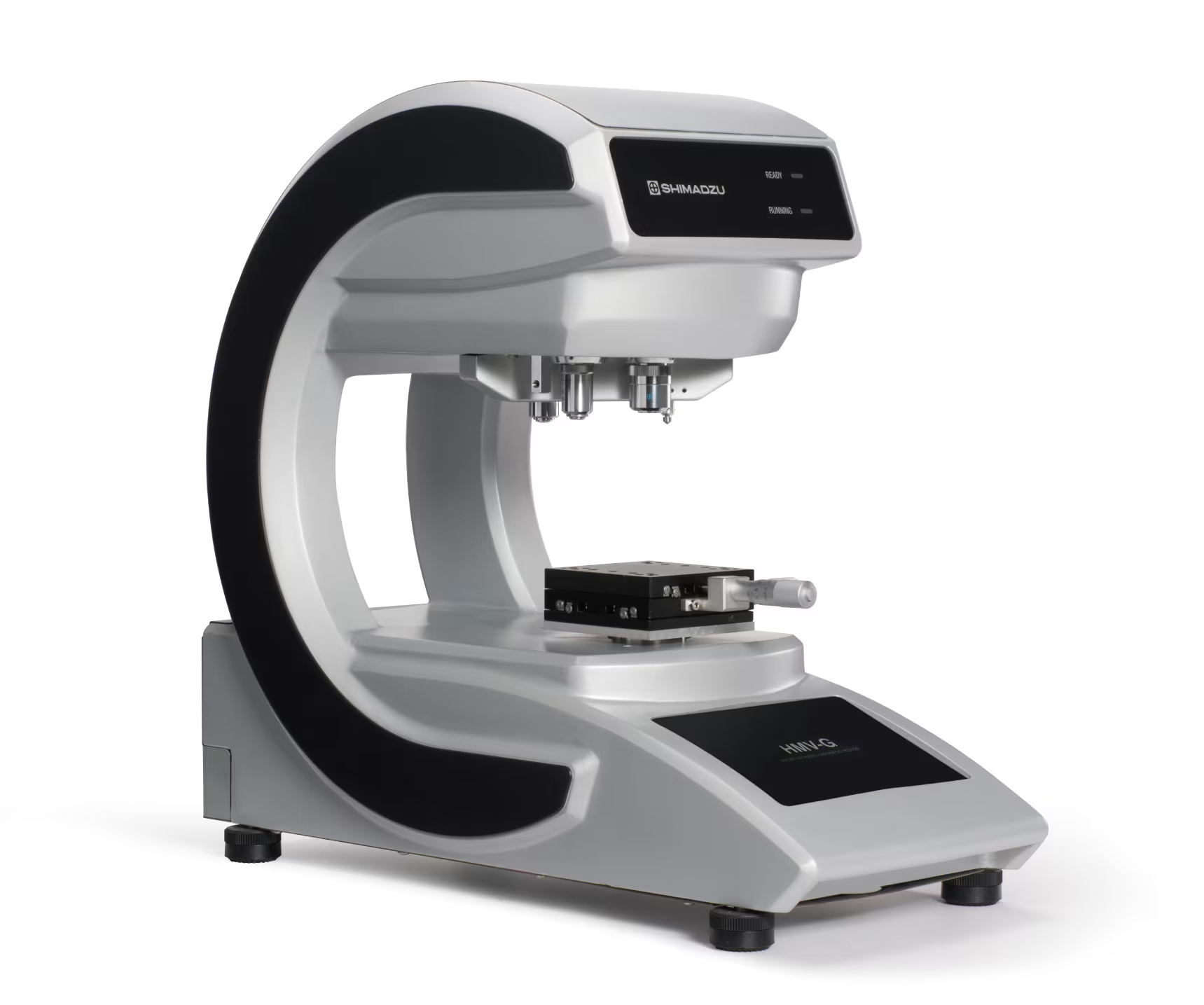
Shimadzu HMV G Series
Shimadzu HMV G Series — Hardness testers.
The HMV G Series is a micro Vickers hardness tester platform (ISO 6507-1/-2) covering HV0.001 to HV2 (9.807 mN to 19.61 N). Within the series, the G31 variants differ by turret configuration (S: 1 indenter/2 objectives; D: 2 indenters/4 objectives) and by FA (autofocus) or XY (no autofocus) automation. It is used for microhardness measurement of small features and case-depth profiles in metallurgical and quality-control laboratories.
Full specifications
| Applicable standards | ISO6507-1, -2 |
| Measurement range | 250 x 250 µm |
| Printer | Printer output from a PC via software |
| Printer compatibility | Compatible with laser printers |
| Test force range (HV0.001 to HV2) mfr | 9.807 mN to 19.61 N (HV0.001 to HV2) |
| Maximum number of indenter attachments (HMV-G31S / HMV-G30S) mfr | 1 (HMV-G31S / HMV-G30S) |
| Maximum number of indenter attachments (HMV-G31D / HMV-G30D) mfr | 2 (1 empty) (HMV-G31D / HMV-G30D) |
| Maximum number of objective lens attachments (HMV-G31S / HMV-G30S) mfr | 2 (HMV-G31S / HMV-G30S) |
| Maximum number of objective lens attachments (HMV-G31D / HMV-G30D) mfr | 4 (HMV-G31D / HMV-G30D) |
| Measurement range (for 40x objective lens) (Color camera) mfr | 195 x 160 μm (Color camera) |
| Maximum number of indenter attachments (HMV-G31-FA-S / HMV-G31-XY-S) mfr | 1 (HMV-G31-FA-S / HMV-G31-XY-S) |
| Maximum number of indenter attachments (HMV-G31-FA-D / HMV-G31-XY-D) mfr | 2 (HMV-G31-FA-D / HMV-G31-XY-D) |
| Maximum number of objective lens attachments (HMV-G31-FA-S / HMV-G31-XY-S) mfr | 2 (HMV-G31-FA-S / HMV-G31-XY-S) |
| Maximum number of objective lens attachments (HMV-G31-FA-D / HMV-G31-XY-D) mfr | 4 (HMV-G31-FA-D / HMV-G31-XY-D) |
| Communication (General purpose PC, excluding models with electric stage) mfr | USB (General purpose PC, excluding models with electric stage) |
| Standard objective lenses provided (HMV-G31S / HMV-G30S) mfr | 40x (1 empty) (HMV-G31S / HMV-G30S) |
| Standard objective lenses provided (HMV-G31D / HMV-G30D) mfr | 40x, 10x (2 empty) (HMV-G31D / HMV-G30D) |
| Standard objective lenses provided (HMV-G31-XY-S) mfr | 40x (1 empty) (HMV-G31-XY-S) |
| Standard objective lenses provided (HMV-G31-XY-D) mfr | 40x, 10x (2 empty) (HMV-G31-XY-D) |
Description
Construction and series positioning
- The HMV G Series is a micro Vickers hardness tester family compliant with ISO 6507-1 and -2, with a test force range from 9.807 mN (HV0.001) to 19.61 N (HV2).
- The G31 sub-series is the automated/PC-controlled line; the G30 sub-series is the stand-alone line. Within G31, the suffix defines the turret: S models accept 1 indenter and 2 objective lenses (40x standard, 1 empty position); D models accept 2 indenters (1 empty) and 4 objective lenses (40x and 10x standard, 2 empty).
- The -FA variants add an autofocus function; the -XY variants do not. Both are offered in S and D turret configurations. The -HC and -T suffixes denote high-resolution color camera and electric turret variants respectively.
- Measurement range with the 40x objective and color camera is 195 x 160 µm; the maximum measurement range with objective attachments is 250 x 250 µm.
Behavior and configuration
- Because the test force spans four decades (mN to ~20 N), the same instrument covers both low-load microhardness of thin layers and higher-load bulk Vickers testing; the applicable load is selected per ISO 6507-1/-2.
- Turret capacity determines throughput: S models hold one indenter and two objectives, so indenter/objective changes are manual; D models hold two indenters and four objectives, allowing indenter and lens changes under program control.
- Autofocus (-FA) removes operator focus variation between indentations; -XY models rely on manual focus and are suited to lower-throughput or R&D use.
Installation, connection and control
- The tester is controlled from a general-purpose PC running the HMV-G software on Windows 10 (64-bit); communication is via USB (models without electric stage).
- Two USB cables connect the PC and the tester; on high-resolution color camera models the camera USB cable connects directly to the HMV-G.
- Optional electric XY/XYZ stages require a CONTEC motion control board in the PC and a stage control box; a motored micrometer uses a Melec UC-7660 driver. Printer output is from the PC via software and is compatible with laser printers.
Integration & Operating Notes
The PC and HMV-G must not be connected until software installation is complete; connecting early causes driver enumeration conflicts. After installation, connect with two USB cables (camera USB direct to the tester on high-resolution color camera models) and confirm automatic driver installation in the HMV-G software.
The HMV-G software supports Windows 10 (64-bit edition) only. Set the power plan to High performance and disable fast startup, otherwise the software may not operate correctly. The shortcut must be set to Run as administrator via Advanced properties, not via the Compatibility tab.
Selection & Integration Q&A
Choose D when the test sequence needs two indenters (e.g., Vickers and Knoop) or four objective lenses (40x and 10x standard) switched under program control. Choose S for single-indenter, single-lens routine work where manual changes are acceptable.
A general-purpose PC running Windows 10 64-bit with the HMV-G software, connected by two USB cables; on high-resolution color camera models the camera USB cable connects directly to the tester. Electric stage models additionally need a CONTEC board and stage control box.
Install the software fully before connecting the tester by USB, set the PC to the High performance power plan with fast startup disabled, and run the HMV shortcut as administrator. For electric stages, install the driver and power off the PC before inserting the board.
The HMV-G software installation CD, Sentech camera driver (StCamSWare), CONTEC stage driver and Melec micrometer driver with registry file are installed separately. Printer output is from the PC via software, so a compatible laser printer is a separate item.