
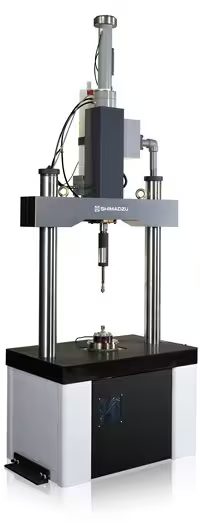
Shimadzu Hits X Series
Shimadzu Hits X Series — Testing machines.
The Shimadzu Trapezium HITS X Series is a software-centric high-speed impact testing system comprising testing and data-processing software running on a Windows PC with an NI PCI-6132 or ADM670 AD expansion board. It acquires sensor data via RS232C from an optional 4870-type controller and supports up to three puncture and three tensile sensors with selectable filter frequencies. It is used to control impact tests, capture load-stroke-time curves, and produce statistical reports.
Full specifications
Description
System architecture and positioning
- The HITS X Series is a PC-based software package, not a standalone instrument; it requires a host computer with at least one full-size PCI slot, an RS232C port, and a display capable of 1920×1200 resolution.
- Measurement data are collected through an AD expansion board (NI PCI-6132 or ADM670) installed in the PC; the board type determines driver installation and device-manager verification steps.
- The software is split into testing software (real-time control and monitoring) and data-processing software (graphing, statistics, CSV export, report printing).
- Within the series, this model is distinguished by its support for both board types and optional 4870-type controller integration; sibling variants may differ in board support or controller compatibility.
Measurement behavior and sensor handling
- Up to three sensors each for puncture and tensile tests can be registered, each with a unique ID, name (<20 characters), value (up to 4 digits), and units (kN, N, tonf, kgf).
- Filter cutoff frequencies are selectable per channel: CH1 and CH3 offer 20 kHz or 100 kHz; CH2 offers 2 kHz or 20 kHz.
- Velocity calibration is set for 1–20 m/sec with an input range of <100, 4095>; below 1 m/sec feedback control makes it unnecessary.
- Temperature calibration uses reference points at −30, 0, 80, and 130 °C against a 20 °C span, with linear interpolation for other temperatures.
- External trigger is available only with the 4870-type controller and only when sampling interval ≤10 msec and sampling time ≥10 sec.
Installation, control, and operation
- The software checks sensor connection state at startup and before each test; any change forces the System Setting screen to appear, preventing measurements with mismatched sensor configuration.
- Configuration files (HTM_System.fil, HTM.ini, HTMTable.ini) store calibration and basic settings; they should be backed up to external media for recovery.
- NI PCI-6132 driver installation requires Microsoft .NET Framework 4.6.2 and may take about 10 minutes; ADM670 driver installation is verified by the entry 'ADM-670PCI (win_2k_xp)' under 'MSCIENCE' in Device Manager.
- Sensor replacement must be done after exiting the software or returning to the Home screen; otherwise incorrect values will be displayed.
Integration & Operating Notes
The AD expansion board (NI PCI-6132 or ADM670) requires a full-size PCI slot, and the controller connects via RS232C. Without these, the system cannot acquire data or communicate; plan the PC configuration accordingly before installation.
The software compares sensor information at startup and before each test. If a sensor has been changed, the Testing screen is blocked and the System Setting screen is displayed, ensuring the correct sensor ID and calibration are active.
Files HTM_System.fil, HTM.ini, and HTMTable.ini contain calibration and system settings. Backing them up to CD-R or other media allows recovery after PC failure or software re-installation, avoiding recalibration downtime.
Hot-swapping a sensor while the software is active can cause incorrect measurement values. Always exit the software or move to the Home screen, then replace the sensor and confirm the connection state on the System Setting screen.
Selection & Integration Q&A
Choose this model when you need support for both NI PCI-6132 and ADM670 boards and optional 4870-type controller integration. Sibling variants may lack one board type or controller compatibility; verify against your existing PC and controller.
The PC needs Windows 7/10, 1 GHz CPU, 256 MB RAM, 8 GB HDD, 1920×1200 display, a free full-size PCI slot, and an RS232C port. The controller connects via RS232C; a 4870-type controller is needed for external trigger.
The base delivery includes software and manuals; you must provide a compliant PC, AD board, and cables. Regularly back up configuration files (HTM_System.fil, HTM.ini, HTMTable.ini) to external media. Sensor replacement requires exiting software first.